Windows Event IDs
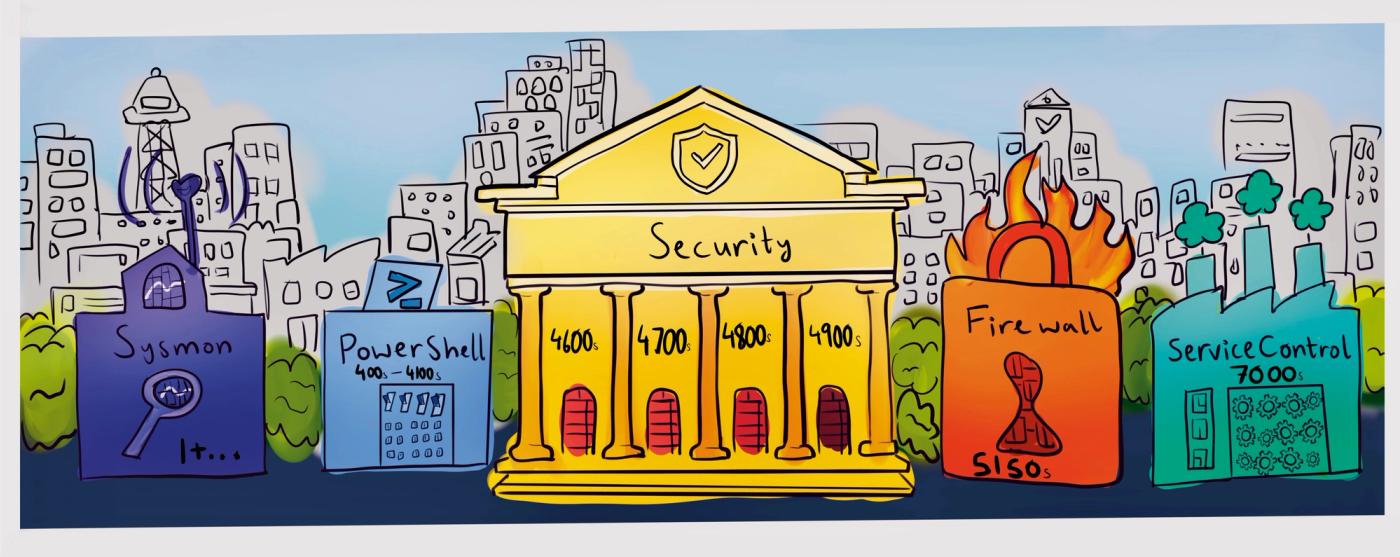
Trying to understand the strange logic behind Windows Event IDs.
When I first started trying to understand Windows Event IDs, I kept looking for a single organizing logic behind the numbers, something like the Dewey Decimal system in a library.
A neat little structure where once you understood the categories, the numbers would politely line themselves up and behave. But the more I looked, the less polite the system seemed. The numbers jumped around, different logs used entirely different ranges. The same number could mean completely different things depending on where it came from. It started to feel less like one organized library and more like a building that had been renovated several times by people who never spoke to each other.
That frustration reminded me of something about the Dewey Decimal system itself. Even though it is used around the world, it is not actually identical everywhere. Different countries quietly tweak it, and certain sections expand depending on the culture using it. One place might dedicate entire aisles to Buddhist texts, another to Islamic scholarship, another to Western philosophy. The structure stays recognizable, but the shelves slowly begin to reflect the people maintaining them.
Windows logging works in a strangely similar way. Instead of one universal catalog, Windows is more like a campus filled with libraries. Each major component of the operating system acts as an event provider, and each provider organizes its events according to its own numbering system.
The Service Control Manager has its own catalog, PowerShell maintains another. Firewall events live in a completely different wing of the building. If Sysmon is installed, it introduces an entirely separate collection of books starting again from number one, blissfully disconnected with the rest of the campus.
This design goes all the way back to WindowsNT. Microsoft needed a way for thousands of drivers, services, and applications to record events without colliding with each other’s numbering systems. Letting each subsystem maintain its own library solved that problem elegantly, even if it leaves newcomers wandering the stacks wondering who designed the place. Eventually, though, Microsoft realized one section of the campus needed better organization: Security.
When the logging architecture was redesigned in Windows Vista, the security logs were reorganized into a shared classification. The 4600s became authentication. The 4700s account management. The 4800s session activity. The 4900s security policy. Browse those shelves for a bit and the books start to tell a familiar story.
The 4600s are books about proving identity: volumes like 4624 and 4625 record successful and failed authentications, while 4672 documents moments when elevated privileges appear alongside that identity.
A few shelves over, the 4700s deal with identity management itself: 4720 documents the creation of a new user, 4726 the removal of one, 4732 the moment someone gains membership in a group they did not belong to before. These read less like login records and more like administrative registries.
Further into the stacks, the 4800s contain quieter volumes: books about the state of user sessions, workstations locking and unlocking, small signals that something in the rhythm of activity has shifted. And then there are the 4900s: the rulebooks of the entire section.
These volumes document changes to auditing and security policies themselves; the moments when someone edits the system that determines which stories will be recorded at all.
Seen this way, the numbering stops feeling arbitrary. Even in a campus of independent libraries, the security wing still manages to organize its shelves around the same set of subjects: identity, membership, activity, and rules.
Comments
Loading comments...